
Watch, learn, and get more from Q-Hub
93 on-demand videos across 20 categories — product walkthroughs, feature deep-dives, and QHSE best practices. All free, no sign-up required.
Latest
4 videos 1:02
1:02 The higher the risk, the more requirements.
Not every AI system is regulated in the same way - and that’s one of the key principles behind the EU AI Act. The Act takes a risk-based approach, meaning the regulatory requirements depend on the potential risk associated with how an AI system is used. For high-risk AI systems, this can mean requirements around: → Risk management → Data quality and governance → Documentation & traceability → Human oversight → Accuracy & robustness → Cybersecurity → Transparency And it doesn't stop at the technology itself. Organisations also need to think about how AI is being used, what risks it creates and how those risks are managed throughout its lifecycle. With the AI Act's rules now progressively applying, understanding where your AI use sits within the risk framework is becoming increasingly important for businesses. The big question isn't simply "Are we using AI?" It's: "What AI are we using, what risk does it create - and what do we need to have in place because of it?" Sources: ↳ https://commission.europa.eu/news-and-media/news/safer-and-more-secure-digital-products-2026-09-11_en?utm_ ↳ https://artificialintelligenceact.eu/ai-act-explorer/ ↳ https://www.enisa.europa.eu/news/the-cra-single-reporting-platform-is-launched? #EUAIAct #AICompliance #AI #ArtificialIntelligence #Compliance #RiskManagement #DataGovernance #CyberSecurity #QMS #QHub
 Short 0:45
 Why Is Compliance Still Stuck in the Past?
Why is it that so many industries seem to be moving forward, while ours is still stuck doing things the way we’ve always done them? That was one of the questions that kept coming up when we started looking at what was actually possible. We’re used to seeing technology transform the way other industries work - so why shouldn’t compliance and manufacturing have access to the same kind of tools? The answer shouldn’t be complicated software or solutions that are out of reach. It should be about making the day-to-day work easier, smarter and more accessible. That’s the thinking behind Q-hub. #https://app.getrella.com/4PpjKiGR4GcjO1MPqm75Zy/c/2IIg0XHFBW5d7uvugNLw5f
 1:43
1:43 AI Is Changing Compliance
Everyone’s talking about AI. But what is it actually changing? AI has quickly gone from “should we be using it?” to “where can we use it?” At Q-hub, we’re looking at the same question - but from a compliance perspective. How can AI remove the tedious work? How can it make implementation easier? And more importantly, how can it help organisations maintain compliance, rather than simply document it? That’s where things get interesting. From generating forms and documents from existing information, to connecting requirements with the processes, documents and evidence that support them, we’re building AI into Q-HUB to make compliance more connected and easier to manage. Because AI shouldn’t just be another shiny tool sitting alongside your systems. It should actually make the system better. And perhaps the bigger question isn’t “Are you using AI?” It’s: “Are you using it to solve the problems that actually matter?” ↳ www.q-hub.app #QHUB #Compliance #AI #ComplianceManagement #RegTech #ISO #ContinuousImprovement
 1:36
1:36 Is your audit readiness a scramble?
Is your audit readiness a scramble? With ISO 9001 updates on the horizon, audit readiness is back on the agenda for a lot of organisations. But if getting ready still feels like a last-minute fire drill, there are usually a few things worth looking at: - Are your documents, systems and controls actually live and up to date? - Are actions, NCRs and investigations being properly closed out? - Do your people understand what good compliance looks like in their day-to-day roles? Audit readiness shouldn’t mean scrambling to prove that your system works. It should already be working. #ISO9001 #AuditReadiness #Compliance #QualityManagement #QHUB
Application tutorials
29 videos 1:49
1:49  Short 0:54
  Short 0:53
 KPI Hub - Adding a KPI to a Workspace
 2:44
2:44 KPI Hub - Create a Generic KPI from a Process
How to build KPIs using process data
 2:08
2:08  2:51
2:51  3:40
3:40  2:48
2:48 KPI Hub - Create a Generic KPI from a Register
Learn how to make KPIs from register data
 3:58
3:58 Info process - Document flow
How to create and build an information process for Document flows.
 5:21
5:21 Creating a smart form - Logic Fields
How to build a from and specifically use the logical field types.
 4:10
4:10 Creating a smart form - Fields Fundamentals
How all the fields work in a form and how to use them
 Short 0:47
  2:49
2:49 Creating a smart form - sections and hide show
How you can use form hub to create different form types, section and use the hide show logic for responsive forms.
 2:05
2:05  2:33
2:33 Form Hub - How to change a form
How to change a form and test the latest version
 Short 0:42
  2:41
2:41 Form Hub - General Home Page Options
Understand how the form hub works in general and take a look at the main pages and what they show.
 1:18
1:18  2:11
2:11 How to use support tickets
A short video on how to raise support tickets in the application
 11:22
11:22 Full process building guide
The most up to date process guide showing how to build a process from start to finish, adding fields, routes, up-issuing and controlling settings.
 17:50
17:50 How to add fields to process steps
This is a follow on video to instruct users on what fields do and how to add them to a process. It will go through basic options with fields and some custom logic that can be applied.
 12:30
12:30 How to build a basic process
This video will show you the basics of creating a process on the process hub. Demonstrating how to create basic and decision steps, how to add some basic fields, and how the process will look.
 7:14
7:14 Qhub overview
Welcome to Qhub! A quick video to show you around the application!
 6:28
6:28 Document Library introduction
This is general introduction to the Document library, some of the features and the way that it works
 4:43
4:43  3:55
3:55 File upload & assign a naming convention with pre approval
This video explains how you can upload files that are in a controlled area with pre-approval settings. Meaning it must go for review and approval first.
 3:24
3:24 Setup pre approval settings DL
This video goes into pre-approval settings in greater detail
 2:57
2:57 Upload a doc with name conventions
In this video we will show you how to upload documents into an area that has naming conventions turned on.
 7:59
7:59 Work hub intro
This video will give you a general introduction to the Work.hub feature
Document system and management
11 videos 2:00
2:00 How to Change reviewers
How to change the person who is reviewing a document in both Up-issue stage and normal compliance reviews.
 5:58
5:58  3:01
3:01 DL Uploading Uncontrolled Documents
How to upload a normal document (non-controlled)
 4:57
4:57 Document library - Uploading Controlled Documents
How to upload controlled docs.
 3:29
3:29 Document library - Document Settings
Review of all settings in document set-up boxes.
 1:40 1:18 6:28
 Document Library introduction
This is general introduction to the Document library, some of the features and the way that it works
3:55 File upload & assign a naming convention with pre approval
This video explains how you can upload files that are in a controlled area with pre-approval settings. Meaning it must go for review and approval first.
3:24 Setup pre approval settings DL
This video goes into pre-approval settings in greater detail
2:57 Upload a doc with name conventions
In this video we will show you how to upload documents into an area that has naming conventions turned on.
 3:15
3:15 Creating a smart form - Selector fields
How to build and use a form with the field selector fields.
5:21 Creating a smart form - Logic Fields
How to build a from and specifically use the logical field types.
4:10 Creating a smart form - Fields Fundamentals
How all the fields work in a form and how to use them
Short 0:47 2:49 Creating a smart form - sections and hide show
How you can use form hub to create different form types, section and use the hide show logic for responsive forms.
2:05 2:33 2:41 Form Hub - General Home Page Options
Understand how the form hub works in general and take a look at the main pages and what they show.
 33:13
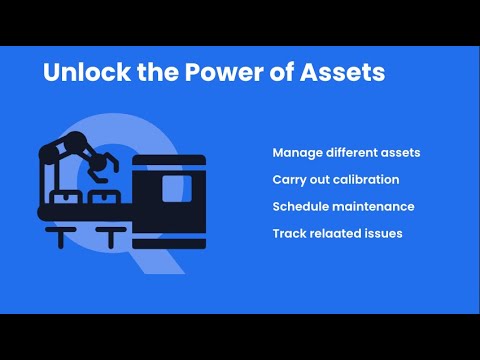
33:13 Master class: Assets made easy
Qhub Masterclass: Asset Management Made Easy In this masterclass, Ethan Brice takes you step-by-step through Qhub’s Asset Hub and shows you how to set up, organise, and manage your assets the right way. You’ll learn: 🔹 How to structure your Asset Hub for better visibility & control 🔹 Best practices for profiles, groups, locations, and statuses 🔹 Managing calibration, inspections & maintenance tasks 🔹 Linking assets to forms, incidents, and non-conformances 🔹 How to upload clean data for a smooth setup 🔹 Upcoming features like QR code scanning & RFID tracking Whether you’re managing a few assets or thousands, this session will help you streamline asset control, improve compliance, and make smarter decisions faster. 📌 Chapters: 00:00 – Introduction 02:15 – Setting up Asset Profiles 09:40 – Groups, Locations & Statuses 15:20 – Managing Calibration & Maintenance 23:10 – Linking Assets to Forms & Incidents 29:50 – Advanced Tips & Next Steps 🔔 Don’t miss our upcoming webinars! Subscribe to stay updated. 📧 Contact us at: sales@q-hub.co.uk #qhub #assetmanagement #compliance #calibration #maintenance #webinar
 2:05
2:05  2:43
2:43  3:29
3:29  3:03
3:03  2:55
2:55  2:48
2:48  1:39
1:39  4:14
4:14  1:25
1:25  1:54
1:54  3:28
3:28 Audit Hub - How to Create Requirements
How to create requirement and question sets for Audits
KPI hub
6 videos Short 0:53 2:44 2:08 3:40  1:16 2:48
 QHSE & Compliance information
6 videos 32:45
32:45 Everything you need to know when looking at an eQMS - webinar
Considering a New eQMS? Here’s What You Need to Know! In this 37-minute webinar, Qhub’s Ethan Brice walks you through everything you should consider before investing in an electronic Quality Management System (eQMS) — from identifying your needs to choosing the right platform and avoiding costly mistakes. You’ll learn: ✅ Why organisations (big or small) look for a new eQMS ✅ Key factors to consider: compliance, security, scalability, and more ✅ How to define your use cases and avoid vague requirements ✅ The right questions to ask during vendor demos ✅ Common implementation pitfalls and how to sidestep them Whether you’re replacing an outdated system, digitising your processes, or looking to leverage the latest tech, this session will help you make an informed decision and ensure your next eQMS delivers real value. 📩 **Get the free resources mentioned in the webinar** — including our EQMS Factors Checklist, Use Case Worksheet, and Implementation Guide — by emailing resources@q-hub.co.uk 🔗 **Book a Qhub demo: https://calendly.com/qhub/qhub-30-minute-demo #qms #qualitymanagement #iso9001certified #compliance #qms #digitaltransformation #qhub
 32:44
32:44 Full Master class Unlock the power of process hub!
🎓 Masterclass: Build Processes Like a Pro in Qhub Streamline your workflows, avoid common mistakes, and learn how to use Qhub’s Process Hub like a pro! In this hands-on webinar, Ethan Brice walks you through: ✅ Best practices for building digital processes ✅ When to use a Form vs. a Process ✅ Real-world examples of good vs. bad process design ✅ Smart use of approvals, decision logic & action tracking ✅ How to simplify complex workflows ✅ Sending external forms to suppliers ✅ Bonus: Live AI demo that turns policies into working processes in minutes Whether you're a Qhub customer or just exploring digital compliance tools, this session will help you save time, avoid confusion, and build smarter. 🔗 Try Qhub FREE with code WEB-PROC 📥 Questions or want support? Reach out to our team! #Qhub #processautomation #DigitalCompliance #workflowautomation #qualitymanagement #AItools #QMS #masterclass
 4:46
4:46 Stop using Spreadsheets for NCRs!
Book in for a chat here - https://calendly.com/qhub/qhub-30-minute-demo This is a great example of how NCRs can be made simpler using Qhub! Go from complex spreadsheets and emails to one simple system.
 5:16
5:16 Health and safety - Accident Incident Near miss
Book in for a chat here - https://calendly.com/qhub/qhub-30-minute-demo Watch this video to see how easy it is to manage H&S on Q-hub!
 3:34
3:34 Qhub quick overview
Book in for a chat here - https://calendly.com/qhub/qhub-30-minute-demo This is a quick overview of what the Q-Hub platform can be used to do for your business. Managing ISO systems, management, H&S and much more! Watch our Co-Founder take you on a quick tour around the system.
 21:41
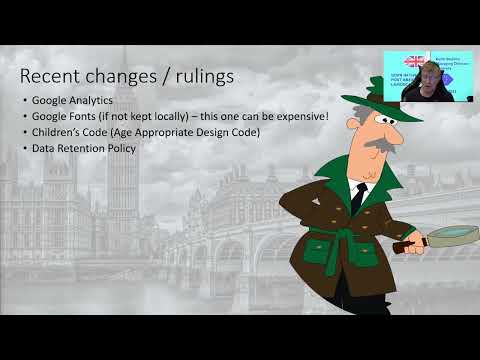
21:41 Keith GDPR | Q-Hub Webinar | 22/03/22
Keith was invited by us here at Q-Hub to come on our Webinar to talk about the latest GDRP changes and what they mean for your business. Take a listen to what he had to say! We're super excited about this and eager to hear feedback. We would appreciate if you like, subscribe and comment on the video so we know you'd love to see more videos just like this. 🌐 - https://q-hub.co.uk/ 📰 - https://www.linkedin.com/company/qhub-software 📸 - https://www.instagram.com/_qhubsoftware_/ #Q-HubFam #GDPR #Webinar #Podcast #Manufacturing #Business
Application fields
5 videos 1:39
1:39 How to use the Linking feature in our upload field
A video showing how to use and when to use the linking feature.
3:15 Creating a smart form - Selector fields
How to build and use a form with the field selector fields.
5:21 Creating a smart form - Logic Fields
How to build a from and specifically use the logical field types.
4:10 Creating a smart form - Fields Fundamentals
How all the fields work in a form and how to use them
17:50 How to add fields to process steps
This is a follow on video to instruct users on what fields do and how to add them to a process. It will go through basic options with fields and some custom logic that can be applied.
General features for admins and users
5 videos Short 0:54 Register Hub - Settings
Settings you can apply in register hub
1:40 Short 0:42 2:11 How to use support tickets
A short video on how to raise support tickets in the application
4:43 App intro setup
How to setup the application, add users and manage groups!
Master class
4 videos 28:19
28:19 Masterclass: Make the Most Out of Audit Hub
In this session, Ethan Brice walks you step by step through Qhub’s Audit Hub—a dedicated space to plan, run, and report on audits with ease. You’ll learn how to: Configure audit settings (NCR templates, locations, approved auditors) Create or upload audit questions and templates (with AI support) Build audit schedules and assign auditors Capture findings, NCRs, and evidence directly during audits Generate compliance reports and KPIs automatically Whether you’re working with ISO 9001, ISO 45001, or customer-specific standards, Audit Hub helps you streamline audits and keep everything connected in one place. 📌 Next Steps: If you’re a Qhub customer: start setting up your audits today or ask us for setup support. If you’d like a trial: contact us at [insert contact/email]. 🔔 Subscribe to our channel for more webinars and tutorials on compliance tools including Portal Hub, KPI Hub, Doc Hub, and Asset Hub. #Audits #Qhub #ISO9001 #ComplianceSoftware #ISO
33:13 Master class: Assets made easy
Qhub Masterclass: Asset Management Made Easy In this masterclass, Ethan Brice takes you step-by-step through Qhub’s Asset Hub and shows you how to set up, organise, and manage your assets the right way. You’ll learn: 🔹 How to structure your Asset Hub for better visibility & control 🔹 Best practices for profiles, groups, locations, and statuses 🔹 Managing calibration, inspections & maintenance tasks 🔹 Linking assets to forms, incidents, and non-conformances 🔹 How to upload clean data for a smooth setup 🔹 Upcoming features like QR code scanning & RFID tracking Whether you’re managing a few assets or thousands, this session will help you streamline asset control, improve compliance, and make smarter decisions faster. 📌 Chapters: 00:00 – Introduction 02:15 – Setting up Asset Profiles 09:40 – Groups, Locations & Statuses 15:20 – Managing Calibration & Maintenance 23:10 – Linking Assets to Forms & Incidents 29:50 – Advanced Tips & Next Steps 🔔 Don’t miss our upcoming webinars! Subscribe to stay updated. 📧 Contact us at: sales@q-hub.co.uk #qhub #assetmanagement #compliance #calibration #maintenance #webinar
 31:15
31:15 Master class - Register hub
Are you getting the most out of Register Hub? In this masterclass, Ethan walks you through: ✅ When to use a register (and when not to) ✅ Time-saving automations like Request Data ✅ How to create simplified views for managers & teams ✅ Best practices for training, supplier, and risk registers ✅ Smart ways to make your registers audit-ready This session is packed with real-world tips to save you hours of compliance admin and make Register Hub more powerful than Excel ever could be. 👉 Watch now and see how to transform your compliance management with Qhub. 🔗 Learn more: www.q-hub.app Hashtags for YouTube: #qhub #register #compliancemanagement #qualitymanagement #digitaltransformation #qms
32:44 Full Master class Unlock the power of process hub!
🎓 Masterclass: Build Processes Like a Pro in Qhub Streamline your workflows, avoid common mistakes, and learn how to use Qhub’s Process Hub like a pro! In this hands-on webinar, Ethan Brice walks you through: ✅ Best practices for building digital processes ✅ When to use a Form vs. a Process ✅ Real-world examples of good vs. bad process design ✅ Smart use of approvals, decision logic & action tracking ✅ How to simplify complex workflows ✅ Sending external forms to suppliers ✅ Bonus: Live AI demo that turns policies into working processes in minutes Whether you're a Qhub customer or just exploring digital compliance tools, this session will help you save time, avoid confusion, and build smarter. 🔗 Try Qhub FREE with code WEB-PROC 📥 Questions or want support? Reach out to our team! #Qhub #processautomation #DigitalCompliance #workflowautomation #qualitymanagement #AItools #QMS #masterclass
Process hub
4 videos 3:58 Info process - Document flow
How to create and build an information process for Document flows.
11:22 Full process building guide
The most up to date process guide showing how to build a process from start to finish, adding fields, routes, up-issuing and controlling settings.
17:50 How to add fields to process steps
This is a follow on video to instruct users on what fields do and how to add them to a process. It will go through basic options with fields and some custom logic that can be applied.
12:30 How to build a basic process
This video will show you the basics of creating a process on the process hub. Demonstrating how to create basic and decision steps, how to add some basic fields, and how the process will look.
31:15 Master class - Register hub
Are you getting the most out of Register Hub? In this masterclass, Ethan walks you through: ✅ When to use a register (and when not to) ✅ Time-saving automations like Request Data ✅ How to create simplified views for managers & teams ✅ Best practices for training, supplier, and risk registers ✅ Smart ways to make your registers audit-ready This session is packed with real-world tips to save you hours of compliance admin and make Register Hub more powerful than Excel ever could be. 👉 Watch now and see how to transform your compliance management with Qhub. 🔗 Learn more: www.q-hub.app Hashtags for YouTube: #qhub #register #compliancemanagement #qualitymanagement #digitaltransformation #qms
1:49 Short 0:54 2:51 The Hub Diaries
4 videos 23:11
23:11  15:52
15:52  11:39
11:39 How Hollis Global are carrying out onsite Risk Assessments and completing Accident/Incident reports
See how Aine, the Senior Compliance Co-ordinator at Hollis Global, uses Qhub to ensure her team are able to fill in what they need, where they need to - resulting in an uptake of team members completing necessary forms. We are so grateful to work with such amazing clients! Learn more about the Qhub platform: https://q-hub.co.uk/ Book a free demo here: https://calendly.com/qhub/qhub-45-minute-demo-meeting-ethan?back=1&month=2025-01
 7:54
7:54 How Fox Engineering is conducting inspections and managing compliance
See how David, the Managing Director at Fox Engineering, uses Qhub to implement their inspection services and keep safety and compliance at the core of all they do. We are so grateful to work with such amazing clients! Learn more about the Qhub platform: https://q-hub.co.uk/ Book a free demo here: https://calendly.com/qhub/qhub-45-minute-demo-meeting-ethan?back=1&month=2024-12
Application discussions
3 videos 32:45 Everything you need to know when looking at an eQMS - webinar
Considering a New eQMS? Here’s What You Need to Know! In this 37-minute webinar, Qhub’s Ethan Brice walks you through everything you should consider before investing in an electronic Quality Management System (eQMS) — from identifying your needs to choosing the right platform and avoiding costly mistakes. You’ll learn: ✅ Why organisations (big or small) look for a new eQMS ✅ Key factors to consider: compliance, security, scalability, and more ✅ How to define your use cases and avoid vague requirements ✅ The right questions to ask during vendor demos ✅ Common implementation pitfalls and how to sidestep them Whether you’re replacing an outdated system, digitising your processes, or looking to leverage the latest tech, this session will help you make an informed decision and ensure your next eQMS delivers real value. 📩 **Get the free resources mentioned in the webinar** — including our EQMS Factors Checklist, Use Case Worksheet, and Implementation Guide — by emailing resources@q-hub.co.uk 🔗 **Book a Qhub demo: https://calendly.com/qhub/qhub-30-minute-demo #qms #qualitymanagement #iso9001certified #compliance #qms #digitaltransformation #qhub
32:44 Full Master class Unlock the power of process hub!
🎓 Masterclass: Build Processes Like a Pro in Qhub Streamline your workflows, avoid common mistakes, and learn how to use Qhub’s Process Hub like a pro! In this hands-on webinar, Ethan Brice walks you through: ✅ Best practices for building digital processes ✅ When to use a Form vs. a Process ✅ Real-world examples of good vs. bad process design ✅ Smart use of approvals, decision logic & action tracking ✅ How to simplify complex workflows ✅ Sending external forms to suppliers ✅ Bonus: Live AI demo that turns policies into working processes in minutes Whether you're a Qhub customer or just exploring digital compliance tools, this session will help you save time, avoid confusion, and build smarter. 🔗 Try Qhub FREE with code WEB-PROC 📥 Questions or want support? Reach out to our team! #Qhub #processautomation #DigitalCompliance #workflowautomation #qualitymanagement #AItools #QMS #masterclass
 18:58
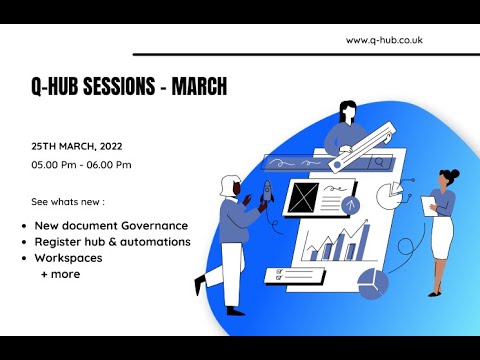
18:58 Q-hub sessions - March 22
What's new this march – We take a sneak peak at Workspaces as our new function to help you bring your teams even closer with dedicated dashboards and folder structures. Doc library governance controls have been enhanced to improve ease of control including reviews and approval controls, and see our new registers tool and how to get more from your registers instead of using excel and complex macros.
Application updates
3 videos 1:00:12
 Q-hub Q2 Update Webinar
Q-Hub Platform Update – What's Coming August 2026 🚀 In this webinar, Q-Hub co-founder Ethan Brice walks through everything landing on the platform in our next release (live Monday, 3 August) — plus a first look at what's coming after that. What we cover: ✅ New 2FA options (Microsoft/Google Authenticator, Apple Passwords, email) — independent of SSO ✅ Native Microsoft Word, Excel & PowerPoint editing, right inside Q-Hub ✅ Audit Hub's big upgrade to **Compliance Hub** — smarter requirements, question-based & AI-generated audits, auto-processing of external audit reports ✅ **People Hub** goes fully live for everyone (out of beta!) ✅ A cleaner portal navigation experience ✅ Our new UK-hosted AI system — the "Q-Hub AI Brain" — including how it's opt-in, what data it can (and can't) see, and where it's headed next We also share a sneak peek at the roadmap: task & notification improvements, the new Report Hub, mobile app upgrades, and a rebuilt Help Centre. #QHub #ComplianceManagement #eQMS #QualityManagement #ISO9001 #AuditSoftware #ProductUpdate
32:44 Full Master class Unlock the power of process hub!
🎓 Masterclass: Build Processes Like a Pro in Qhub Streamline your workflows, avoid common mistakes, and learn how to use Qhub’s Process Hub like a pro! In this hands-on webinar, Ethan Brice walks you through: ✅ Best practices for building digital processes ✅ When to use a Form vs. a Process ✅ Real-world examples of good vs. bad process design ✅ Smart use of approvals, decision logic & action tracking ✅ How to simplify complex workflows ✅ Sending external forms to suppliers ✅ Bonus: Live AI demo that turns policies into working processes in minutes Whether you're a Qhub customer or just exploring digital compliance tools, this session will help you save time, avoid confusion, and build smarter. 🔗 Try Qhub FREE with code WEB-PROC 📥 Questions or want support? Reach out to our team! #Qhub #processautomation #DigitalCompliance #workflowautomation #qualitymanagement #AItools #QMS #masterclass
 9:33
9:33 App update 2025
Updates covering; Asset hub * Speed and performance improvements * Access options; ability to control who has access via groups, locations and profiles. * Ability to update all assets in a profile by changing features in the profile. * Portal users can be granted access to all or specific assets * Asset tasks page, home shortcuts, and reports updated to allow for excel downloads and improved filtering * Management task templates section created so admins can create the most common types of asset tasks (1 year calibration, 1 month maintenance etc...) Audit hub * Ability to link the NCR titles and description to process and form fields. * Improved Audit PDF output styling * Audit scoring system integrated, with customisable scoring requirements. * Table view option for filling out audits Process and Forms * Ability to move fields from one section or step to another. * Notification option added to field automations, so you can send a simple notification and email when specific things are picked. * Anonymous survey option added, so users can use a link to a form with no user info recorded. Doc Library * An entirely new QDoc system created! * Moveable sections * Auto numbered sections * New sign off section * New review history section * New Version history section * New header section * New page break section * Watermark QDoc PDFs Registers * Optimised automations to improve speed and usability * Templates can now include row data and automations * Existing registers can be made into a register * Ability to upload data from excel into an existing register * Button improvements to add row to top and bottom * Simplified up-issue process * Ability to add rows when in views via a pop-up box.
Use Case
2 videos 32:44 Full Master class Unlock the power of process hub!
🎓 Masterclass: Build Processes Like a Pro in Qhub Streamline your workflows, avoid common mistakes, and learn how to use Qhub’s Process Hub like a pro! In this hands-on webinar, Ethan Brice walks you through: ✅ Best practices for building digital processes ✅ When to use a Form vs. a Process ✅ Real-world examples of good vs. bad process design ✅ Smart use of approvals, decision logic & action tracking ✅ How to simplify complex workflows ✅ Sending external forms to suppliers ✅ Bonus: Live AI demo that turns policies into working processes in minutes Whether you're a Qhub customer or just exploring digital compliance tools, this session will help you save time, avoid confusion, and build smarter. 🔗 Try Qhub FREE with code WEB-PROC 📥 Questions or want support? Reach out to our team! #Qhub #processautomation #DigitalCompliance #workflowautomation #qualitymanagement #AItools #QMS #masterclass
 5:02
5:02 How to Download and Use the H&S Process Template
In this 5min tutorial, we’ll show you how to download and use the H&S Process Template to streamline your compliance processes and how to make it available for your team to use.
Workhub
2 videos Short 0:53 7:59 Business events
1 video 4:30
4:30 Ewan Q-Hub | MTD CNC Podcast | 07/04/22
Ewan was interviewed by MTD CNC at the Mach 2022 Expedition last Thursday about our company, Q-Hub. Take a listen to what he had to say! We're super excited about this and eager to hear feedback. We would appreciate if you like, subscribe and comment on the video so we know you'd love to see more videos just like this. 🌐 - https://q-hub.co.uk/ 📰 - https://www.linkedin.com/company/qhub-software 📸 - https://www.instagram.com/_qhubsoftware_/ #QHubFam #Mach2022 #MTDCNC #Podcast #QHub
More videos
26 videos 1:02 The higher the risk, the more requirements.
Not every AI system is regulated in the same way - and that’s one of the key principles behind the EU AI Act. The Act takes a risk-based approach, meaning the regulatory requirements depend on the potential risk associated with how an AI system is used. For high-risk AI systems, this can mean requirements around: → Risk management → Data quality and governance → Documentation & traceability → Human oversight → Accuracy & robustness → Cybersecurity → Transparency And it doesn't stop at the technology itself. Organisations also need to think about how AI is being used, what risks it creates and how those risks are managed throughout its lifecycle. With the AI Act's rules now progressively applying, understanding where your AI use sits within the risk framework is becoming increasingly important for businesses. The big question isn't simply "Are we using AI?" It's: "What AI are we using, what risk does it create - and what do we need to have in place because of it?" Sources: ↳ https://commission.europa.eu/news-and-media/news/safer-and-more-secure-digital-products-2026-09-11_en?utm_ ↳ https://artificialintelligenceact.eu/ai-act-explorer/ ↳ https://www.enisa.europa.eu/news/the-cra-single-reporting-platform-is-launched? #EUAIAct #AICompliance #AI #ArtificialIntelligence #Compliance #RiskManagement #DataGovernance #CyberSecurity #QMS #QHub
Short 0:45 Why Is Compliance Still Stuck in the Past?
Why is it that so many industries seem to be moving forward, while ours is still stuck doing things the way we’ve always done them? That was one of the questions that kept coming up when we started looking at what was actually possible. We’re used to seeing technology transform the way other industries work - so why shouldn’t compliance and manufacturing have access to the same kind of tools? The answer shouldn’t be complicated software or solutions that are out of reach. It should be about making the day-to-day work easier, smarter and more accessible. That’s the thinking behind Q-hub. #https://app.getrella.com/4PpjKiGR4GcjO1MPqm75Zy/c/2IIg0XHFBW5d7uvugNLw5f
1:43 AI Is Changing Compliance
Everyone’s talking about AI. But what is it actually changing? AI has quickly gone from “should we be using it?” to “where can we use it?” At Q-hub, we’re looking at the same question - but from a compliance perspective. How can AI remove the tedious work? How can it make implementation easier? And more importantly, how can it help organisations maintain compliance, rather than simply document it? That’s where things get interesting. From generating forms and documents from existing information, to connecting requirements with the processes, documents and evidence that support them, we’re building AI into Q-HUB to make compliance more connected and easier to manage. Because AI shouldn’t just be another shiny tool sitting alongside your systems. It should actually make the system better. And perhaps the bigger question isn’t “Are you using AI?” It’s: “Are you using it to solve the problems that actually matter?” ↳ www.q-hub.app #QHUB #Compliance #AI #ComplianceManagement #RegTech #ISO #ContinuousImprovement
1:36 Is your audit readiness a scramble?
Is your audit readiness a scramble? With ISO 9001 updates on the horizon, audit readiness is back on the agenda for a lot of organisations. But if getting ready still feels like a last-minute fire drill, there are usually a few things worth looking at: - Are your documents, systems and controls actually live and up to date? - Are actions, NCRs and investigations being properly closed out? - Do your people understand what good compliance looks like in their day-to-day roles? Audit readiness shouldn’t mean scrambling to prove that your system works. It should already be working. #ISO9001 #AuditReadiness #Compliance #QualityManagement #QHUB
 1:57
1:57 Not Just Built For You. Built With You.
The best compliance software isn’t built by guessing what customers need. It’s built by listening to them. At Q-hub, customer feedback doesn’t just get collected and forgotten about. It directly influences what we develop, improve and prioritise. Because the people using the platform every day are the ones who know where the frustrations are, what would make their lives easier, and what’s actually missing. Yes, we have a roadmap. Yes, we have big ideas for where QHUB is going. But our customers have played a huge part in getting us here - and they’ll continue to shape where we go next. We don’t just develop software for compliance teams. We develop it with them. #Compliance #ComplianceManagement #QHUB #SaaS #CustomerLedDevelopment #RegTech
 1:28
1:28 Is Your Audit Readiness Actually Ready?
With ISO 9001 evolving, audit readiness is understandably back on the agenda. But being “ready” shouldn’t mean a last-minute scramble to find documents, update registers and chase people for evidence. If your team only gets everything in order when an audit is looming, that’s usually a sign that the system isn’t doing enough of the work for you. The businesses that handle audits well tend to have a few things in common: → Their processes are actually being used, not just documented. → Actions, NCRs and investigations are properly closed out. → Evidence is being captured as part of normal operations. → Nobody is relying on a frantic week of admin to prove the system works. Audit readiness is really a reflection of how well your management system is working day to day. And if yours currently feels more like a fire drill than business as usual, that’s something worth addressing now - not the week before your next audit. That’s exactly the kind of thing we help businesses get under control. If you’re wondering how audit-ready your system really is, drop us a message. Let’s have a conversation. #QualityManagement #ManagementSystems #QMS #ISOStandards
 Short 0:50
 International support (yt)
For a multinational business, flexibility and scalability aren’t optional. So, how do you make sure your support can keep up as the business grows? By building the right model from the start. With a lean core operation backed by a wider network of experienced external resources, the team can quickly scale support when needed - bringing in platform specialists, additional teams for general ticket management and IT support. The result? An operation with the capacity to support businesses of any size. Because scaling your business shouldn’t mean scaling your problems. #BusinessSupport #ITSupport #BusinessGrowth #ScalableBusiness #DigitalTransformation
 1:05
1:05 ☑ Pre Recorded Reel - Customer Support (yt)
Most QMS vendors disappear the moment the contract is signed. You get an onboarding call, a help centre link, and a support ticket queue with a 48-hour response time. Good luck. The problem is that quality management doesn't stand still. ISO standards get updated. Your business grows into new processes. You inherit a compliance mess from a predecessor. You're prepping for a surveillance audit and need an answer today, not next week. That's when you find out what your platform actually costs you. Real support in QHSE looks like: Someone who understands ISO requirements, not just the software Proactive guidance when your processes aren't set up the way they should be Fast answers when an auditor is walking through the door Choosing a QMS is a decision you make once. The support behind it is something you live with every day. What's the worst support experience you've had after going live with a new platform? #QualityManagement #QMS #ISO #Compliance #Manufacturing #Aerospace
 1:16
1:16 ☑ Pre Recorded Reel - How Flexible Is It? (yt)
Your QMS should fit your business. But some things aren't negotiable. We see this a lot: companies choose a platform because it's "fully customisable," then spend months building workflows that quietly skip the things that actually keep them compliant. No version control on critical documents. Approval steps that can be bypassed. Audit trails that only exist if someone remembers to fill them in. That's not flexibility. That's a compliance gap waiting to be found in your next ISO audit. The right balance looks like this: Customise the workflows, the forms, the process steps that reflect how your business actually operates Lock in version control, approval chains, and audit trails-because those aren't preferences, they're requirements A platform that lets you do both isn't a compromise. It's just good QMS design. Where have you seen "flexibility" used as an excuse to skip the compliance fundamentals? #QualityManagement #QMS #ISO #Compliance #Manufacturing #Aerospace
 1:42
1:42 Is this going to replace shared folders? (Copy)
Your QMS should simplify your stack. Not add to it. Most quality teams aren't struggling because they lack tools. They're struggling because they have too many - shared drives, spreadsheets, email chains, disconnected systems - all duct-taped together to keep quality moving. A QMS that just becomes another platform to manage isn't a solution. It's a different version of the same problem. The right system fits around how your business already operates. It automates the repetitive tasks eating your team's time, connects the processes that are currently siloed, and scales as your operation grows - without forcing you to rebuild everything overnight. That's not a nice-to-have. For manufacturing and aerospace teams managing ISO compliance, NCRs, and CAPAs across multiple sites, it's the difference between a system people actually use and one that gets abandoned six months in. What's the one tool your team would drop tomorrow if everything lived in one place? #DigitalTransformation #Compliance #BusinessImprovement
 1:40
1:40 ☑ Pre Recorded Reel - Software Implementation (yt)
The biggest barrier to a new QMS isn't the software. It's the person who's been doing it the same way for 15 years. And honestly? That's fair. When you've built your entire compliance process around a folder structure and a spreadsheet you know inside out, "just switch to this new system" isn't a compelling argument. What actually works is showing people what changes for them: The NCR that used to take 3 emails and a phone call now takes 2 minutes. The audit prep that ate a full week now takes a day The CAPA that got lost in someone's inbox is now tracked, assigned, and visible. When the benefit is that concrete, resistance drops fast. Technology doesn't transform quality management. People who understand why it's worth changing do. What's been your biggest hurdle when rolling out a new QMS- the system itself, or getting buy-in? #QualityManagement #QMS #ChangeManagement #ISO #Manufacturing #Aerospace
 Short 0:34
 ☑ Face-to-camera Pquality management (yt)
What happens to your quality management system when your quality manager walks out the door? If critical knowledge only exists in one person's head, your business isn't just relying on experience-it's relying on luck. A resilient QMS doesn't just document processes. It captures knowledge, standardises the way people work and makes the right information accessible to the right people, exactly when they need it. Because businesses that scale don't depend on individuals-they build systems that keep knowledge moving. If a key member of your team left tomorrow, would your processes continue without missing a beat? #QualityManagement #ISO9001 #QMS #Compliance #ContinuousImprovement
 Short 0:24
 Your Biggest Risk Isn't Compliance
When your quality manager leaves, does your QMS leave with them? Critical knowledge locked in people's heads is a compliance risk hiding in plain sight. Processes run on memory, decisions go undocumented, and the moment someone hands in their notice - the system starts to crack. Good QMS captures knowledge. A great one makes it accessible to everyone who needs it, every time they need it. That's the difference between a system that scales and one that depends on the right people being in the room. What does your knowledge management look like right now? #AssetManagement #QHSESoftware #DigitalTransformation
 Short 0:29
 pre recorded- ISO
"Can Q-Hub handle multiple standards?" It's one of the most common questions we get. And the answer is yes. Q-Hub isn't locked to a single standard or industry. Whether you're managing ISO 9001, ISO 14001, ISO 45001, training records, health & safety, or a combination of all of the above, the platform adapts to the way your business actually operates. Most compliance software forces you to work around its limitations. Q-Hub works around yours. Because no two organisations manage compliance the same way, and your software shouldn't pretend otherwise. Watch the video to see how Q-Hub fits your structure, not the other way around. ↳ q-hub.app #HealthAndSafety #ContinuousImprovement #DigitalTransformation
 1:01
1:01 What Does Reporting Look Like on Q-hub? YOUTUBE
Your audit is in 3 weeks. Your quality data is in four different spreadsheets. Sound familiar? #QualityManagement #QMS #ISO9001 #Compliance #Manufacturing #QHSE
 Short 0:37
 pre recorded- Can you Provide Compliance Advice?
Quality management isn't just about having the right software- it's about having the right support behind it. #QualityManagement #ISO9001 #Compliance #QMS #ContinuousImprovement
 Short 0:46
 Reel | Quality Live: Digitisation Doesn't Fix a Broken Process
One of the biggest misconceptions in quality management is that software alone will fix your operational problems. It won't. #OperationalExcellence #QMS #ContinuousImprovement #QualityAssurance
 1:01
1:01 Spreadsheets tell you what happened. Q-Hub helps you understand what’s happening.
Spreadsheets tell you what happened. Q-Hub helps you understand what’s happening. #ContinuousImprovement #OperationalExcellence #DataAnalytics #AI #QHub
 Short 0:49
 The contradiction is real
The contradiction is real: world-class precision on the floor, chaotic manual processes in the office. #Aerospace #DigitalTransformation #QualityManagement #QMS #QHSE #Compliance
 Short 0:18
 At Quality Live, one thing was clear...
At Quality Live, one thing was clear: the future of quality is evolving. At Quality Live, one thing was clear... #QualityLive #QualityManagement #QHSE
 Short 0:27
 What one word describes the current state of quality management?
What one word describes the current state of quality management? #qualitylive #QHSE #QualityManagement #Manufacturing
 Short 0:43
 Tomorrow I'll be speaking at Quality Live!
Tomorrow I'll be speaking at Quality Live about one of the biggest challenges organisations face when moving to digital quality management. #QualityLive #Aerospace #ComplianceManagement
 1:55
1:55 How long does Q-Hub take to set up? See how it works for your business ↳ q-hub.app
How long does Q-Hub take to set up? See how it works for your business ↳ q-hub.app #QualityManagement #ISOCertification #QHSE
 Short 0:56
 Most compliance platforms make YOU fit THEIR system. Q-Hub flips that.
Most compliance platforms make YOU fit THEIR system. Q-hub flips that. #QHSEManagement #ISOCertification #ComplianceMadeSimple
 1:32
1:32 AI sneak peak - form building
Check out our latest feature of you will be able to build forms with AI in QHub!
 1:23
1:23 The best teams innovate and automate
Q-hub software helps organisations to convert manual and resource heavy tasks into automatic, digital processes and tasks. manage your entire business in one easy to use app
Ready to see Q-Hub in action?
Book a personalised demo and see how Q-Hub fits your workflows.