
ISO 9001 compliance software to manage your QMS from certification to continual improvement.
Run your entire ISO 9001 quality management system in one place, from documented information and internal audits to corrective action and continual improvement.
ISO 9001 compliance, ready to deploy
Bring documents, audits, nonconformances and KPIs together in one QMS your certification body will recognise instantly.
See PricingNo credit card required · 30-day free trial · Live in 4 weeks
What is ISO 9001?
ISO 9001:2015 is the international standard for quality management systems, published by ISO and used by organisations of every size and sector. It sets out requirements for consistently meeting customer and regulatory expectations, managing risk, and improving over time. Built on the Annex SL high-level structure, it uses a process approach and Plan-Do-Check-Act thinking so quality is designed into how you actually work rather than bolted on afterwards.
Certification is voluntary but often required by customers and tenders. An accredited certification body audits your QMS against clauses 4 to 10, checking that documented information, controls and records match practice on the ground. After a successful stage 1 and stage 2 audit you receive a three-year certificate, maintained through annual surveillance visits and a full recertification audit, with continual improvement expected throughout.
How Q-Hub maps to ISO 9001 clauses
Clauses 1 to 3 of the standard cover scope, normative references, and terms and definitions. The auditable requirements begin at clause 4, which is where this table starts.
| Clause | Requirement | How Q-Hub helps |
|---|---|---|
| Clause 4, Context of the organisation | Determine internal and external issues, interested parties, and the scope and processes of the QMS | Register Hub captures interested parties and their needs; scope and process maps are version-controlled in Document Hub |
| Clause 5, Leadership | Top management shows commitment, sets a quality policy, and assigns roles and responsibilities | Document Hub holds the quality policy with controlled distribution and read acknowledgements; dashboards give leaders live visibility of QMS performance |
| Clause 6, Planning | Address risks and opportunities and set measurable quality objectives with plans to achieve them | Register Hub logs risks and opportunities with owners and actions; Company KPIs track quality objectives against target |
| Clause 7, Support | Provide resources, competence, awareness, communication and controlled documented information | Training Hub manages competency matrices and certification expiry; Asset Hub schedules calibration; Document Hub controls documented information |
| Clause 8, Operation | Plan and control operations, requirements, design, suppliers and nonconforming outputs | Smart Forms digitise operational checklists and evidence capture; Register Hub manages supplier approval and monitoring |
| Clause 9, Performance evaluation | Monitor, measure and analyse; run internal audits and management reviews | Audit Hub schedules internal audits with configurable checklists and findings; KPIs and dashboards feed the management review |
| Clause 10, Improvement | React to nonconformity, take corrective action, and continually improve the QMS | CAPA manages nonconformances, root cause analysis, corrective actions and effectiveness checks, with trends surfaced on dashboards |
Competitor pricing as published by each vendor. Figures marked ≈ are converted from the currency they were published in at today’s rate, for comparison only.
Be ready for certification audits and surveillance visits
Certification and surveillance audits test whether your documented QMS matches daily practice, and whether evidence is current and traceable. Q-Hub keeps records, approvals and audit trails in one place so nothing is scrambled together the week before.
Controlled documented information
Every procedure, policy and record is version-controlled with approval history, so auditors always see the current, authorised version and its full trail.
Internal audits on schedule
Audit Hub plans internal audits against clauses, records findings, and tracks actions to closure so your programme is complete before the certification body arrives.
Live KPIs for management review
Company KPIs and dashboards give ready-made inputs for management review, showing objectives, trends and performance without hours of manual spreadsheet work.
Corrective action you can prove
CAPA links each nonconformity to root cause, action and effectiveness check, giving clear evidence that issues were resolved and prevented from recurring.
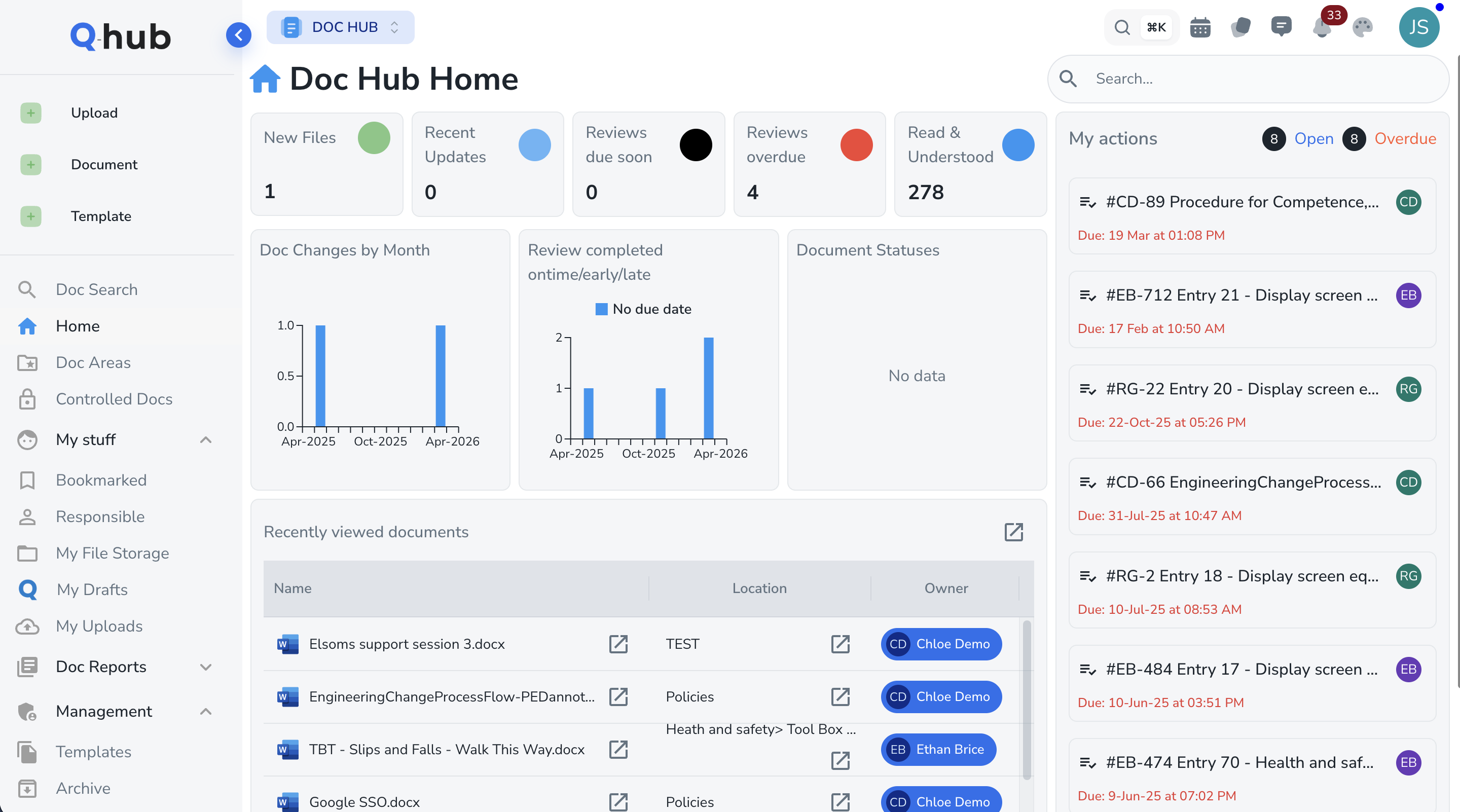
Document control built for quality management
Clause 7.5 demands that documented information is controlled, current and available where it is needed. Document Hub gives every procedure, work instruction and form a version history, review date and approval workflow. Controlled distribution and read acknowledgements mean the right people always have the right version, while superseded documents are retired automatically so no one works from an out-of-date copy on the shop floor.
- Version control with full approval and revision history on every document
- Structured review and approval workflows with automatic reminders
- Controlled distribution and read acknowledgements to prove awareness
- Old versions retired automatically so only current documents circulate
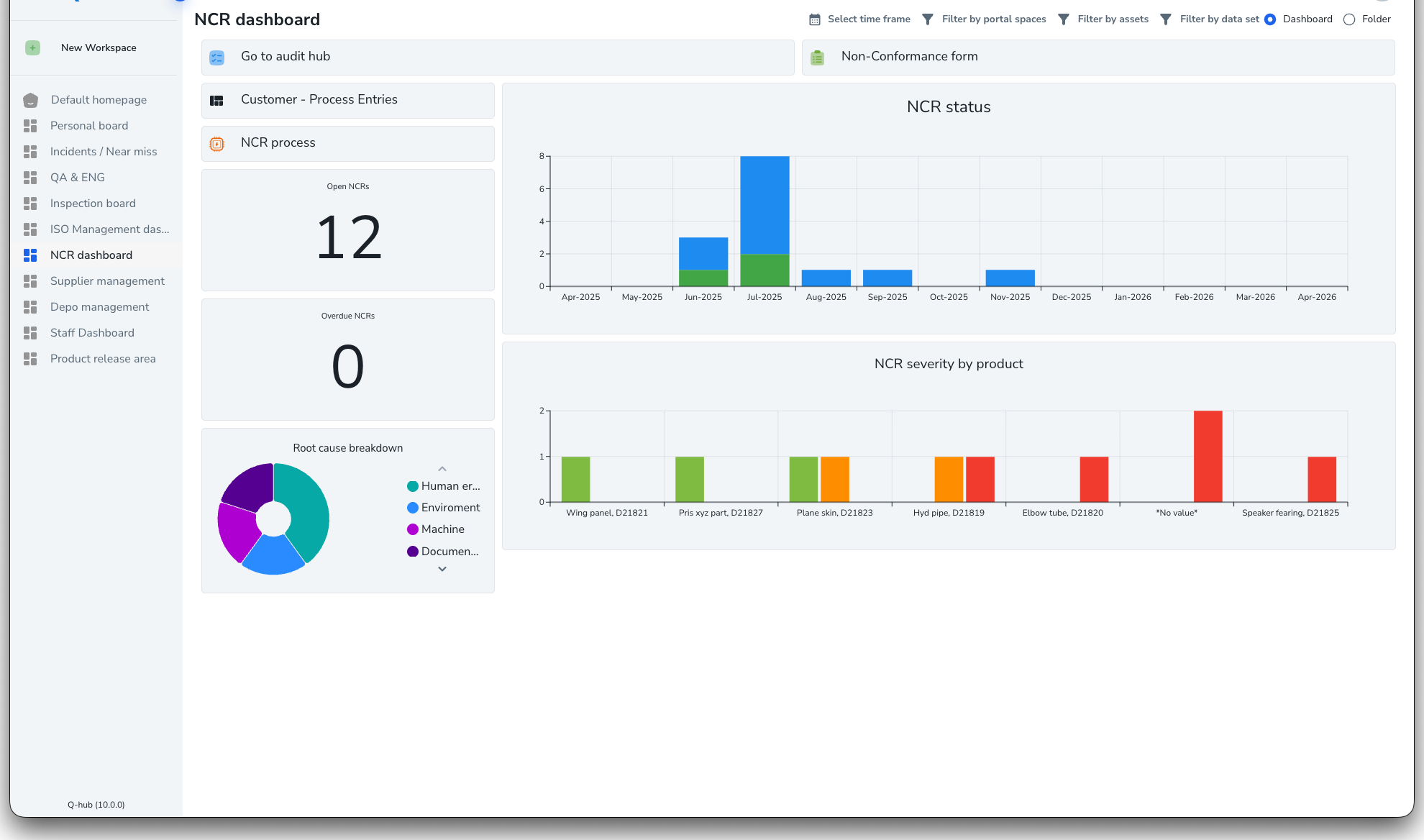
Manage nonconformances and drive corrective action
Clause 10 requires you to react to nonconformity, correct it and stop it recurring. Q-Hub's CAPA workflow captures nonconformances from any source, guides root cause analysis, and assigns corrective actions with owners and due dates. Effectiveness checks confirm the fix actually worked, and dashboards reveal trends across products, processes and suppliers so quality managers can target the issues that matter most.
- Log nonconformances from audits, complaints, suppliers or the shop floor
- Guided root cause analysis to get past symptoms to the real cause
- Corrective actions with clear owners, due dates and escalation
- Effectiveness checks and trend dashboards to prove continual improvement







ISO 9001 certification timeline with Q-Hub
Gap analysis & setup
Map your processes against ISO 9001 clauses, build your QMS in Q-Hub, and load your documents, registers and quality objectives ready for use.
Embed & operate
Roll out controlled documents, Smart Forms and training so the QMS runs in daily practice, generating the records auditors will expect to see.
Internal audit & review
Run internal audits in Audit Hub, close corrective actions in CAPA, and hold a management review using live KPIs to confirm readiness.
Certification & surveillance
Pass your stage 1 and stage 2 audits, then maintain certification through annual surveillance visits with evidence always current and to hand.
Ready to simplify ISO 9001 compliance?
See how Q-Hub turns ISO 9001 from a paperwork burden into a working quality system your team actually uses. Book a demo today.
See PricingNo credit card required · 30-day free trial · Live in 4 weeks
How ready are you for ISO 9001?
Answer six quick questions to see where you stand and where Q-Hub can close the gaps.
- Are your quality policy, objectives and QMS scope documented and current?
- Do you have controlled documents with version history and approvals?
- Do you run internal audits on a schedule with findings tracked to closure?
- Do you capture nonconformances and drive corrective action with root cause?
- Do you hold management reviews backed by live KPI data?
- Can you produce evidence of continual improvement on demand?
ISO 9001 FAQs
ISO 9001 is the international standard for quality management systems. It sets requirements for consistently meeting customer and regulatory needs, managing risk and improving continually. The current version, ISO 9001:2015, follows the Annex SL structure and a process approach, and is the most widely used management system standard in the world.
Any organisation can adopt ISO 9001, from manufacturers to service providers. Certification is voluntary, but many customers, tenders and supply chains require it as proof of quality management. It is especially common in manufacturing and industrial businesses where consistency, traceability and defect prevention directly affect customer confidence.
For most organisations, first certification takes around three to six months, depending on size, complexity and starting maturity. Time goes into building the QMS, embedding it in daily practice, generating records, and running internal audits and a management review before the certification body's stage 1 and stage 2 audits. Q-Hub shortens setup by centralising documents, audits and evidence.
Clauses 4 to 10 are the requirements you are audited against: Context, Leadership, Planning, Support, Operation, Performance evaluation and Improvement. Clauses 1 to 3 cover scope, references and terms. Q-Hub maps each requirement clause to a capability, from Register Hub for context and risk to CAPA for corrective action and improvement.
Q-Hub gives you one QMS covering documented information, internal audits, training, calibration, registers, nonconformances and KPIs. Document Hub controls procedures, Audit Hub runs internal audits, CAPA drives corrective action, and dashboards feed management review. Everything is traceable, so certification and surveillance audits become straightforward rather than a last-minute scramble.
Certification lasts three years, with annual surveillance audits by your certification body to confirm the QMS is still working, plus a full recertification audit before the certificate expires. You also run your own internal audit programme throughout. Q-Hub keeps records, findings and actions continuously up to date, so every visit finds current evidence.
Explore Q-Hub for ISO 9001
The tools behind ISO 9001 compliance, plus related standards Q-Hub supports.