
 Help Centre
How users can join with a link & SSO
How to Set Up Users with SSO (Microsoft & Google)
This guide shows how to enable and onboard users using Single Sign-On (SSO) through either Microsoft or Google.
Access the Admin Panel
Go to the top-right corner of your app.
Click on your User Icon.
Select Admin Panel.
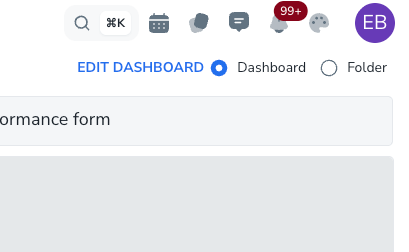
If you don’t see the Admin panel you will not be able to do this.
Microsoft SSO Setup
In the Admin Panel, click Users on the left hand side menu.
On the User page, go to the top-right and click the + icon (Add Tenant).

Click the + icon in the top-right corner of the Users page to add a new tenant for Microsoft SSO setup. Enter your Tenant ID from your Microsoft Active Directory.
A unique signup link will be generated.
Send this link to your employees.
⚠️ Important notes:
Only email addresses within your tenant domain can sign up.
The link expires after 30 days — regenerate when needed.
Users join as view-only by default. You can later upgrade them to Admin or Standard users.
When users open the link:
They’ll see a sign-up page with “Sign up with Microsoft.”
They follow Microsoft’s sign-in flow.
After signing in, they’ll see a confirmation page — they’re now onboarded!
Google SSO Setup
In the Admin Panel, open the Company page.
Scroll down and click the Google button, then Save.
Scroll down again and click “Enable SSO Enforcement.”
Go to the Users page → click the User Settings Icon.
Under Domain Restrictions, enable Domain Restriction.
This limits access to your verified company domains only.
Public domains (e.g.,
gmail.com,hotmail.com,yahoo.com) are not allowed.
Return to the Company page:
Ensure SSO is ON and Username is OFF.
Click Save.
Copy the generated signup link and share it with your team.
Users will now be able to sign up using Google SSO only.
✅ Summary
Provider | Setup Location | Key Actions | Notes |
|---|---|---|---|
Microsoft | Admin Panel → Users | Add Tenant ID → Generate Link | Link valid 30 days, tenant-only, default view-only users |
Admin Panel → Company | Enable Google SSO → Enforce Domain Restriction | Blocks public domains, SSO-only access |