
 Help Centre
2025 - Q-Hub update
Welcome to our new application update pages, please ensure to read through this document, open all the sections and watch any connected videos to keep up to date!
Whats new and coming up
Click each section to expand ….
A whole new support centre
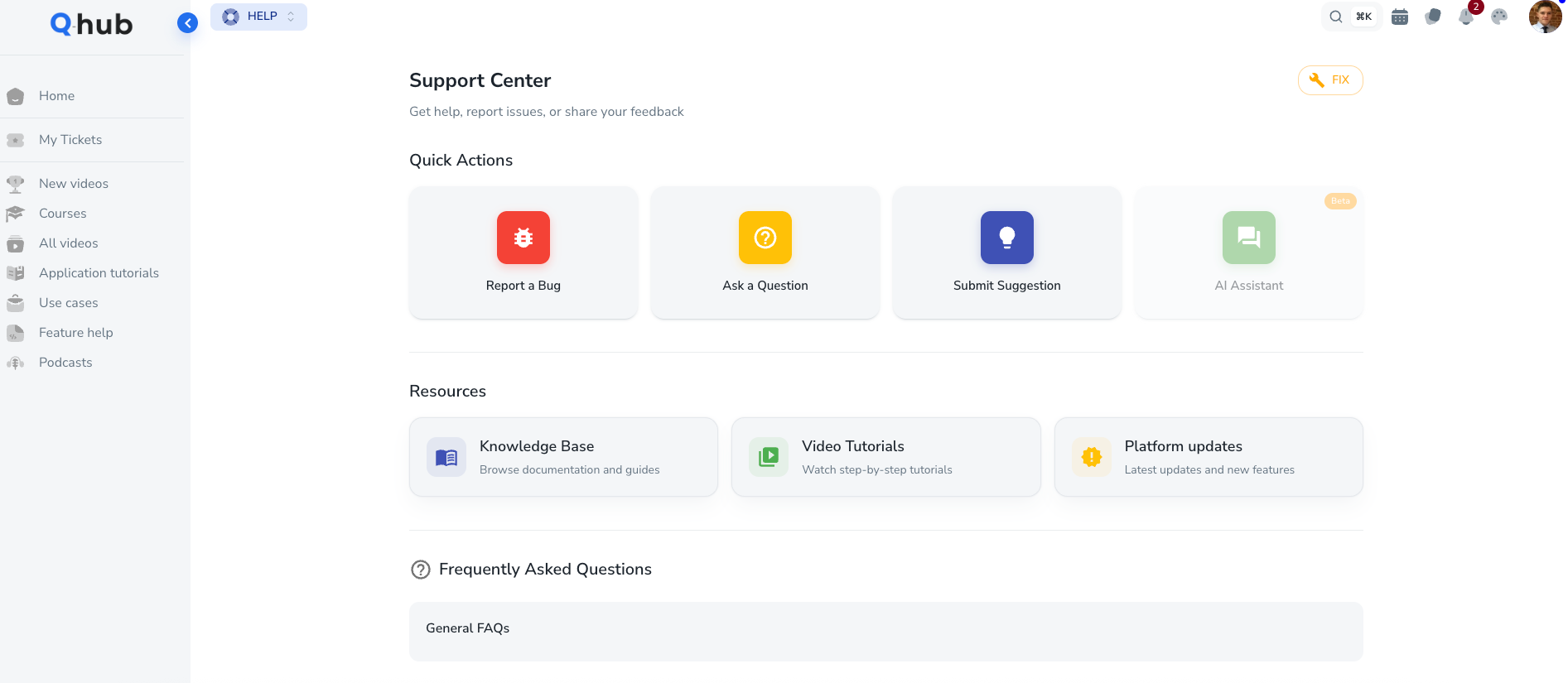
Our new support centre
You may now have noticed that the application support page has a new look. And is connected to some new features. We have now adopted Atlassian, a trusted development system that will host our application knowledge base, FAQs and product updates!
Application banner
In order to better inform you on what is changing, we have implemented a feature on the platform called an application banner. This will allow us to share notifications that are relevant to all users, full users or just admins. The application banner will be used for;
High impact bugs or issues identified that need to be communicated
Latest updates about the product
Webinars on key topics
AI help bot
Within the new support centre, we also have a new AI powered help bot that is in beta stage. This feature is designed to help provide information on how to use the platform. As the new knowledge base grows and is updated, the AI will become more accurate and informative.
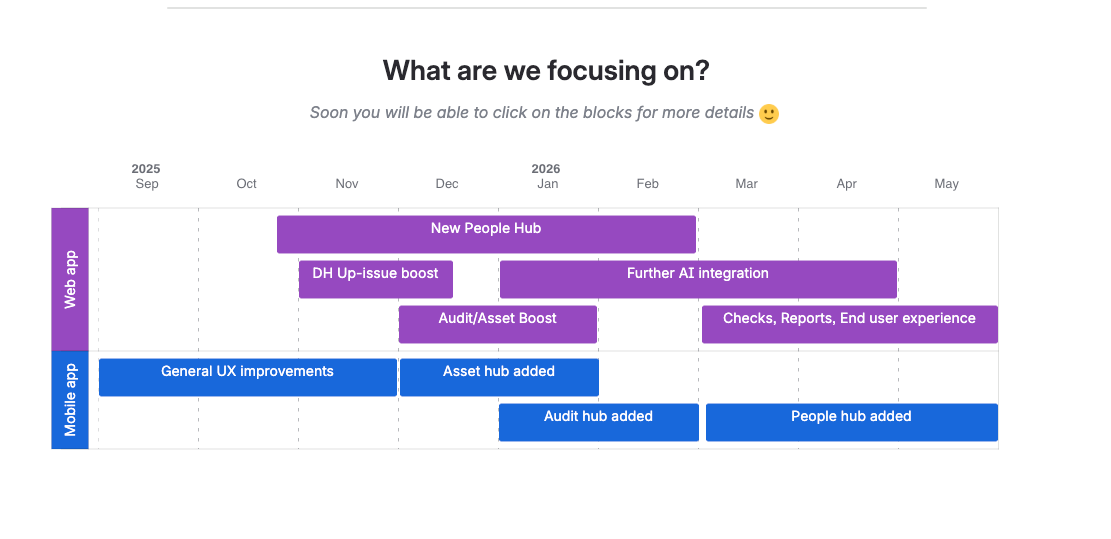
Transparency on whats next
In addition to the supportive information, we also wanted to provide more clarity on the development projects and work that is in progress and coming up. This can be seen in GANNT chart format on the main Qhub updates page.
Have you seen the new KPI and dashboard options
KPI from Asset and Audit hub
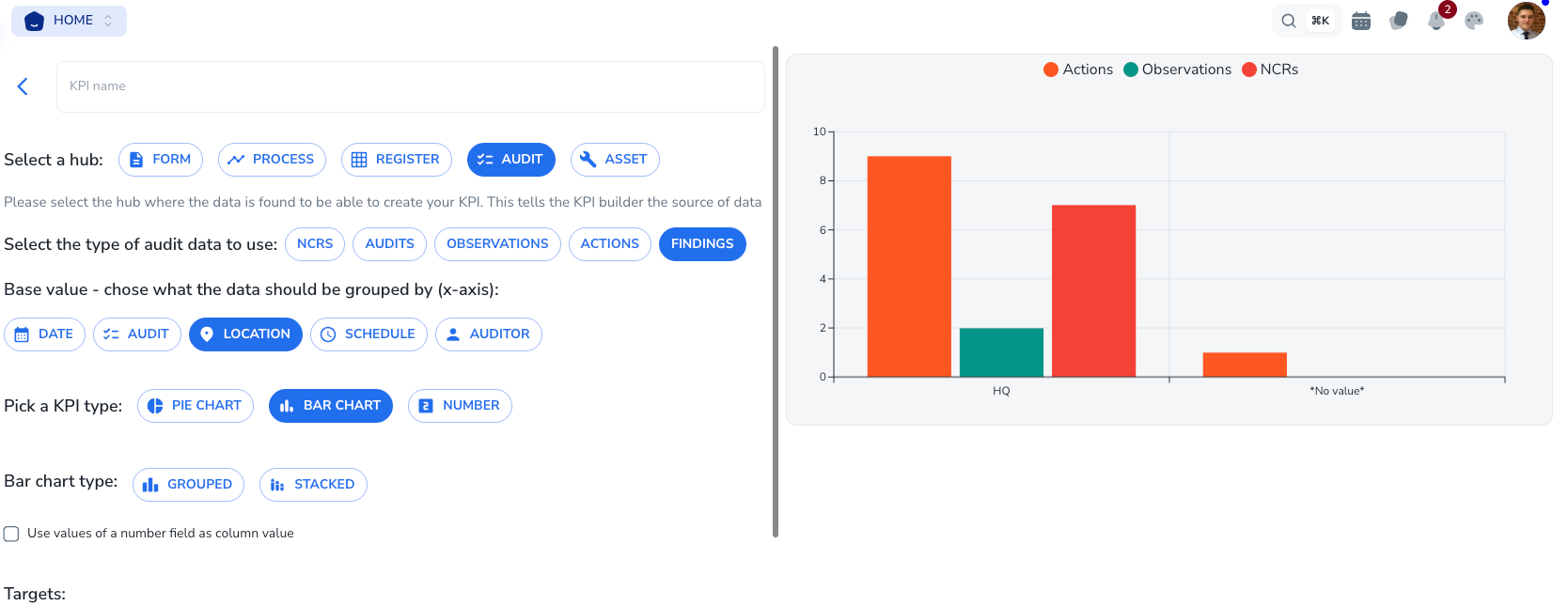
You may have noticed, that you can now create KPIs from audit and asset hub!
By navigating to the KPI Hub > create a KPI > Generic KPI
You will now see the new audit an asset options, allowing you to produce information and charts based on data found in asset and audit hub.
These KPIs can then be added your dashboards to create a more advanced view of your audit and asset system for various users.
⭐ Filter all data in one go
You may also have noticed in dashboards, workspaces, and portals you can now filter all KPIs on the page by common data such as; users, data sets, portals. Therefore making it easier to use KPIs and save time filtering them all individually.
Doc Hub improvements on the way
Improved Up-issue experience
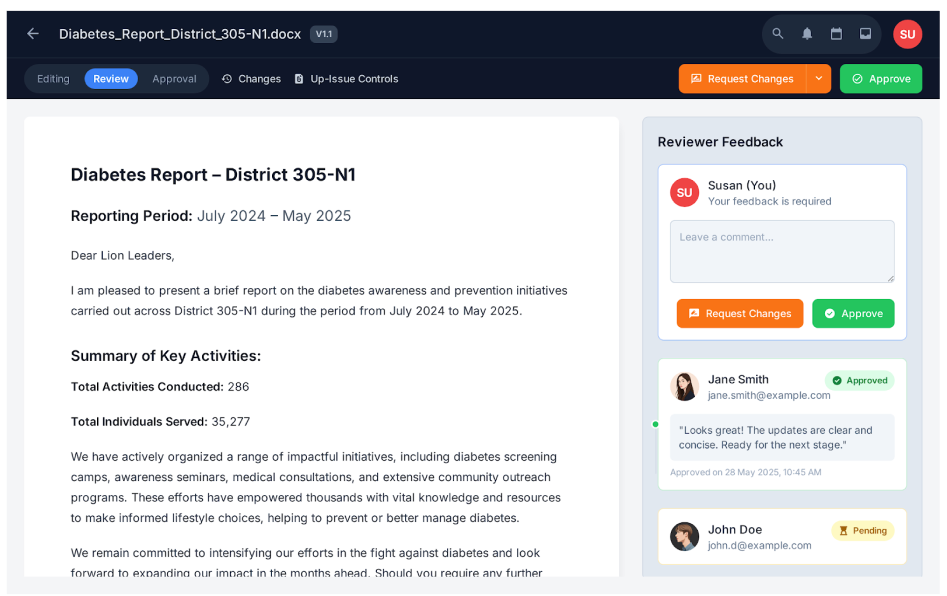
Based on your feedback and some internal reviews, the document up-issue flow is getting major revamp to ensure that it is easier and more enjoyable to manage your documents within Qhub! Check out some of our new designed.
Edit with Microsoft online
We have final approval from Microsoft to be able to integrate a Microsoft based editor into Q-Hub. The development work has been done, we are currently waiting for final tests from Microsoft to confirm the update can go live. This is planned for Jan 2026 release.
Knowledge base updates
Check out the latest knowledge base packages that have been updated by our teams.